
Founding stores: 50% off for as long as you stay subscribed. Only the first 20 paying stores. See the offer
LimitKit

Purchase limits

Limit 1 per customer on Shopify, and make it stick.

Most limit tools hide the quantity box or run a script on the cart page, and shoppers who skip the product page never meet them. LimitKit checks your limit inside Shopify's own cart and checkout, so every order has to pass it.

  • Per order or per customer
  • No theme code
  • Billed through Shopify
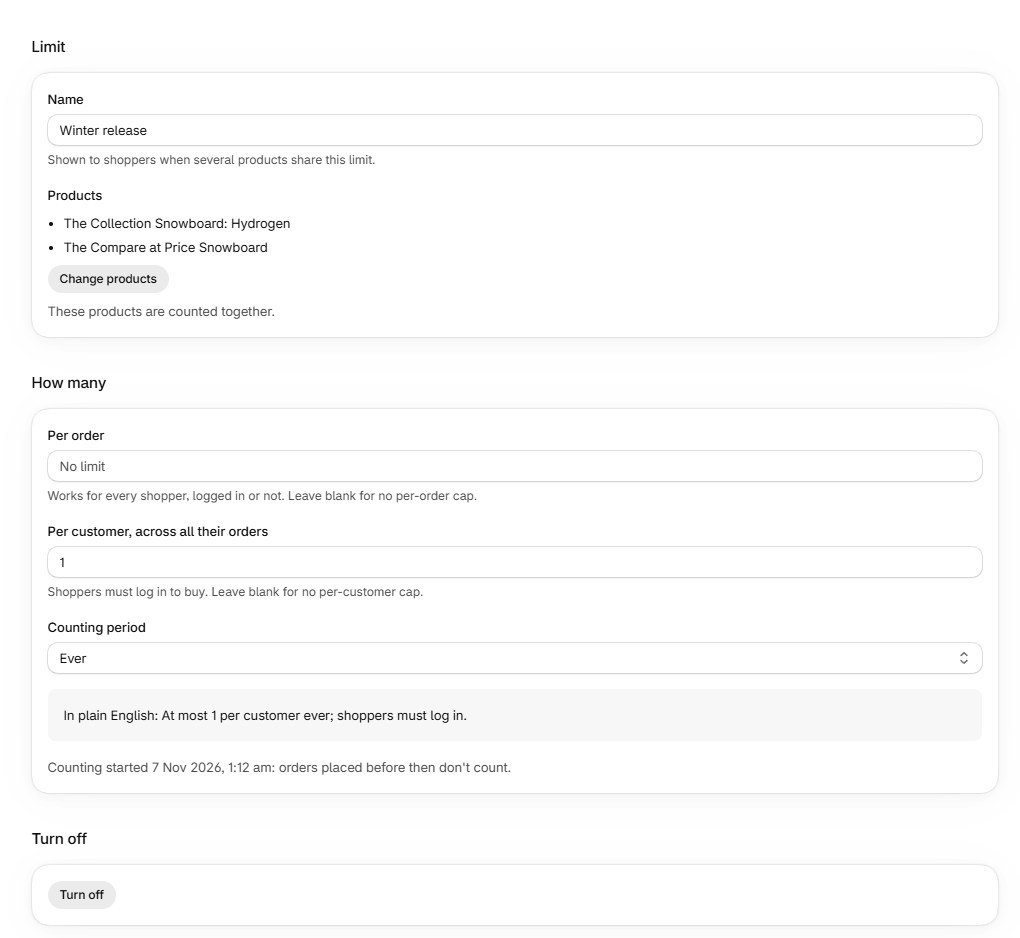
LimitKit's limit settings capping two products at one per customer across all their orders, with a plain-English summary.

Why limits leak

A limit in the theme only stops people who use the theme.

Resellers and bots rarely use your product page. They use cart links, express checkout or a script that adds straight to the cart. A rule that lives in the theme never sees those orders.

How the order reaches checkout Rules in the theme LimitKit
A cart link with the quantity in the address (/cart/variant:5)Not checkedChecked
Express checkout: Shop Pay, Apple Pay, Google PayNot checkedChecked
Scripts and bots adding straight to the cartNot checkedChecked
A second order from the same customerNot checkedChecked

What you can limit

Set the rule once. Checkout enforces it.

  • Per order

    For every shopper, logged in or not. Adding one too many is refused with your message.

  • Per customer, across orders

    Counts everything a customer has bought, not just this cart. Shoppers log in to buy.

  • Refunds give it back

    Refunded and cancelled items return to the customer's allowance automatically.

  • Over a time period

    Per month, for example, so regulars can come back for more later.

  • Shared across products

    Two colourways, one limit: count several products together.

  • Orders to review

    If two checkouts seconds apart both get past a per-customer limit, the later order is listed for you.

At checkout

Shoppers see your wording, with the number filled in

  • The message appears in Shopify's checkout, styled by your checkout settings.
  • Write it your way, for example "You can buy up to {limit} per order."
  • Guests are asked to log in when a per-customer limit applies.
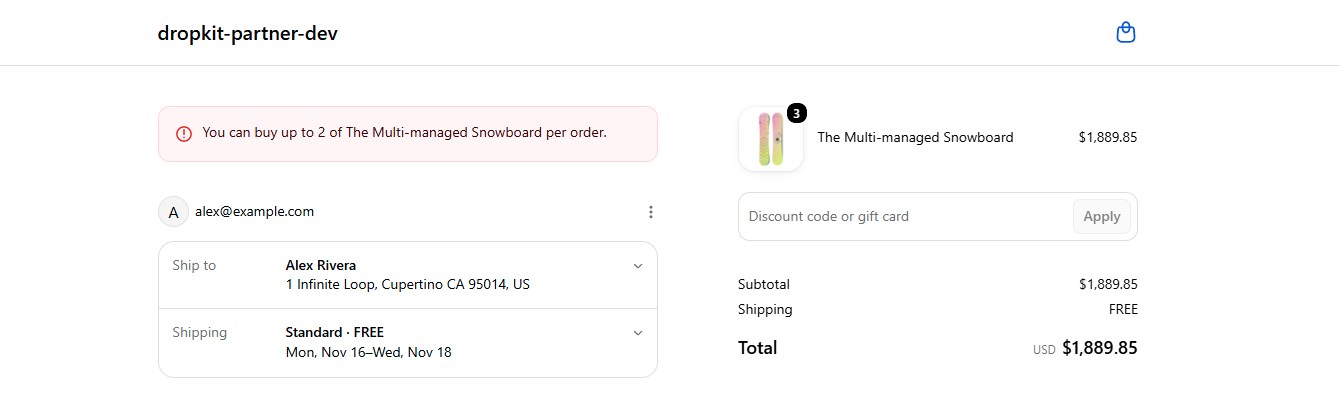
Shopify checkout refusing an order of three snowboards because customers can buy up to two per order.

Per-order limits are on the Free plan. Per-customer limits start on Starter ($19 a month). Limits over time periods and across products are on Pro ($39 a month). Founding stores: the first 20 stores on a paid plan get 50% off for as long as they stay subscribed. Founding stores offer · Compare plans

Questions

Common questions about purchase limits

Do shoppers need an account?

Only for per-customer limits, so LimitKit knows who is buying. Per-order limits work for guests too. When a per-customer limit applies, guests are asked to log in at checkout.

Does it stop express checkout and the Shop app?

Yes. The limit is checked in Shopify's checkout, which Shop Pay, Apple Pay, Google Pay and the Shop app all go through.

What about orders placed before I add a limit?

Counting starts when you add the limit. Earlier orders don't count towards it.

Will it change my theme?

No theme code is edited. An optional block can show the limit on the product page; the rule works without it.

What happens when a customer returns an item?

Refunds and cancellations give the allowance back, so they can buy again up to the limit.

Get LimitKit on the Shopify App Store

Start on the free plan; paid plans have a 14-day free trial. Questions? [email protected]

Install on Shopify