Founding stores: 50% off for as long as you stay subscribed. Only the first 20 paying stores. See the offer
LimitKit

Product drops

Product drops on Shopify that open on the minute.

Keep products published with their photos and price, show shoppers exactly when they open, and stop anyone buying early. LimitKit checks every cart and checkout, so cart links, scripts and express checkout can't jump the gun.

  • Free plan: 2 active drops
  • No theme code
  • Billed through Shopify
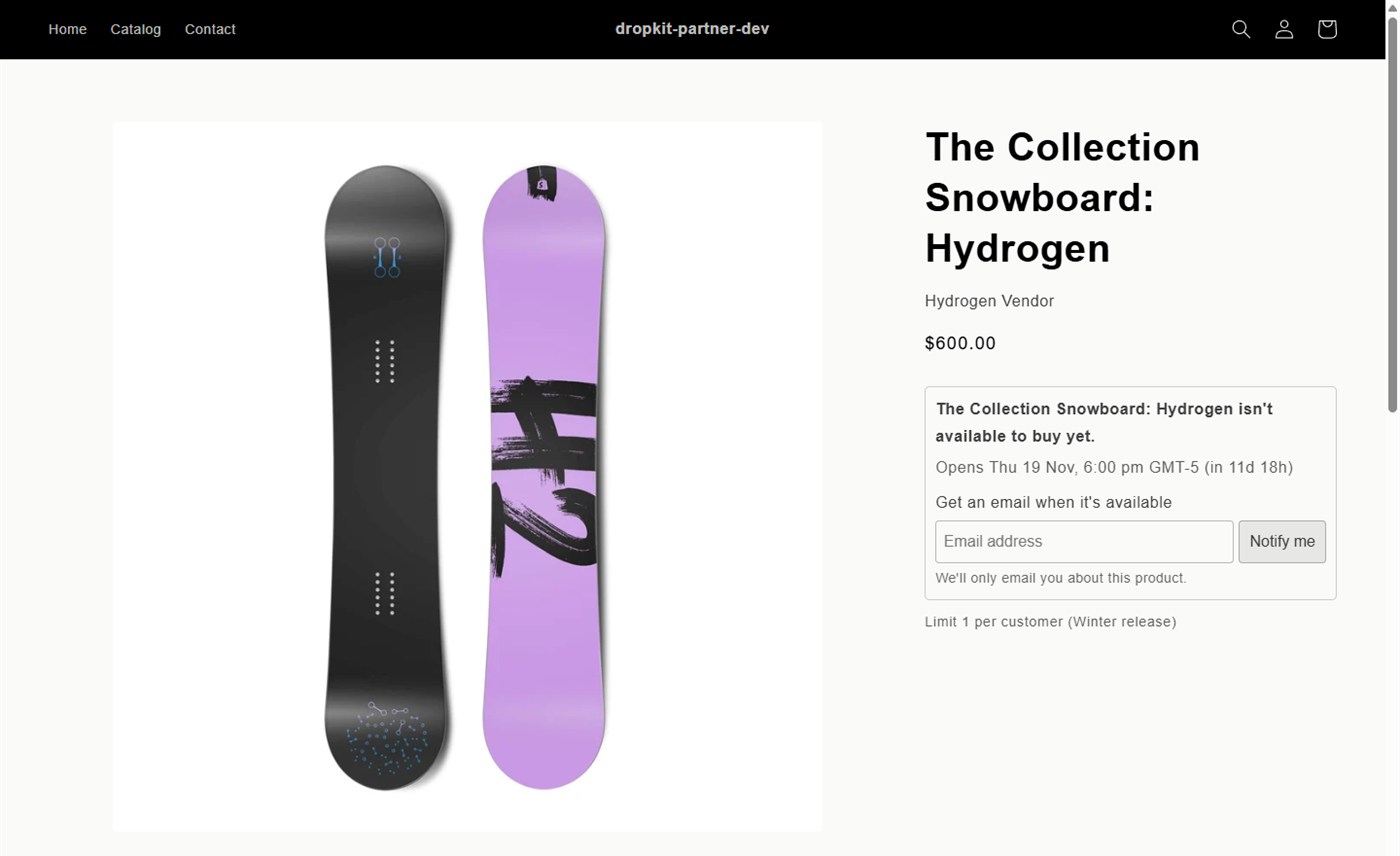
A product page showing a snowboard that isn't available to buy until Thursday 19 November at 6:00 pm, with a countdown, a waitlist sign-up and a limit of 1 per customer.

How a drop works

From announcement to sell-out, in three steps

  1. Create the drop

    Choose the products and the opening time. Let members in first if you like. A preview shows what every kind of shopper will see.

  2. Build the buzz

    The product page shows when it opens, with a countdown, and shoppers can join the waitlist. Collection pages show a badge.

  3. Open on the minute

    At the opening time the product can be bought. Purchase limits still apply, so one customer can't take the lot.

Then see how it sold: units, revenue, orders and sell-through, right on the drop. See results

Nobody buys early

Locked means locked, whatever the route

  • Shopify refuses to add a locked product to the cart, even from a script.
  • Cart links, express checkout and the Shop app meet the same check at checkout.
  • Products stay published, so there's nothing to hide or unpublish before launch.
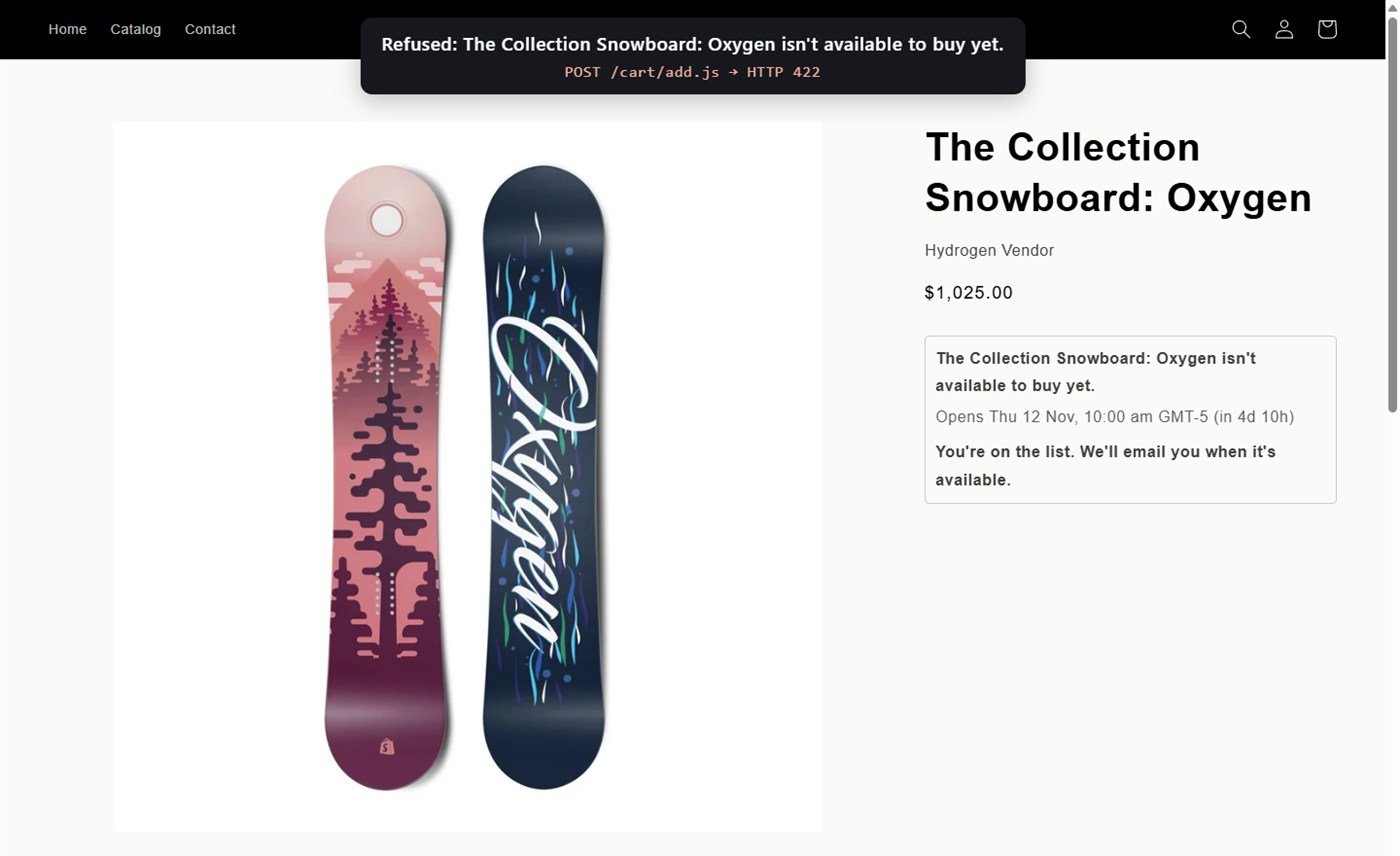
A script tries to add a locked snowboard straight to the cart and Shopify refuses it with the message that it isn't available to buy yet.
Results

See how each drop sold

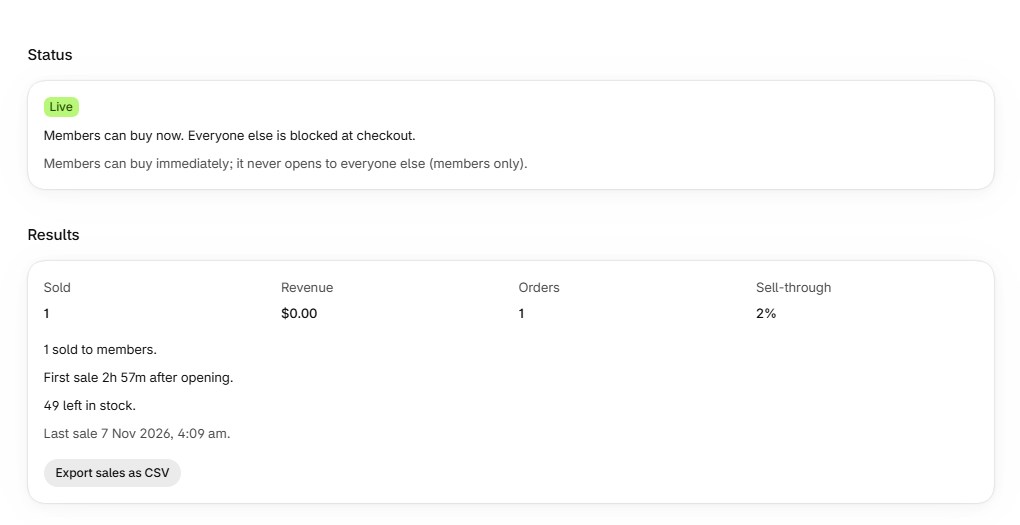
  • Units sold, revenue, orders and sell-through for every drop.
  • How many went to members, how soon the first sale came and what's left in stock.
  • Export each drop's sales as CSV on the Pro plan.
A live members-only drop's results: units sold, revenue, orders and sell-through, with a sales export button.
  • Countdown in local time

    Shoppers see the opening time in their own timezone, with a live countdown.

  • Collection badges

    "Coming soon" or "Opens Thu 10:00" on product cards in collections and search.

  • Members first

    Customers with a chosen tag can buy before everyone else, or only members can buy.

  • Waitlist

    Shoppers leave their email while it's locked. Export the list, or email everyone when it opens.

  • Limits on top

    Cap each order or each customer, so a drop reaches more of your customers.

  • Open by hand

    Lock products now and open them when you're ready, instead of at a set time.

Free plan: up to 2 active drops. Starter ($19 a month): 15 active drops, members early access and the waitlist. Pro ($39 a month): unlimited drops, waitlist emails and full results. Founding stores: the first 20 stores on a paid plan get 50% off for as long as they stay subscribed. Founding stores offer · Compare plans

Questions

Common questions about drops

Do I need to hide or unpublish products before the drop?

No. Products stay published so they can be shared and found before launch. LimitKit stops them being bought until the opening time.

What stops bots adding it to the cart early?

While a product is locked, Shopify refuses to add it to the cart, whether the request comes from your theme, a cart link or a script. Checkout checks again before payment.

Which timezone are opening times in?

You set times in your store's timezone. Shoppers see the opening time converted to their own.

Can members get in before everyone else?

Yes. Give a drop a members time and an everyone time, or make it members only. Members are recognised by customer tag once they log in.

Does it work with my theme?

The product page block and collection badges work with Online Store 2.0 themes and take on your theme's fonts and colours. The checkout rule works whatever your theme.

Get LimitKit on the Shopify App Store

Start on the free plan; paid plans have a 14-day free trial. Questions? [email protected]

Install on Shopify